Label designer in the browser — millimetre layout, barcodes, QR and Chinese fonts built in, straight to the printer with no driver.
- 01WHO IT IS FOR
- 02SYSTEM ARCHITECTURE
- 03PRODUCT SCREENS
- 04CORE FEATURES
- 05WHAT IT NEEDS
- 06PLANS AND PRICING
- 07GETTING STARTED
- 08FAQ
- 09Contact
Label Editor — Label Design & Printing
Barcodes · CSV Batch Printing · Driverless
Everything on this page — who it fits, architecture, features, requirements, plans and FAQ — as one PDF, with our contact details.
A browser-based label designer with the printing behaviour of dedicated label software. Lay out text, barcodes and QR codes in millimetres, bind a CSV so one design prints a whole batch, and send the result straight to a Godex, Zebra or TSC label printer without installing a printer driver. Chinese fonts are built in. The free plan already designs and prints.
Try it at label.shengyiltd.com →- Printing labels daily, but full label software is too much
- Retail
- Warehouses
- Small factories
- Online sellers
Dedicated label software costs tens of thousands to buy outright, runs on Windows only, and is complicated enough that somebody has to come and set it up. The actual requirement is often just “product name, barcode, price, on a 50×30 sticker” — that should not need training.
- Labels whose fields are set by regulation
- Food
- Catering
- Logistics
- Asset management
Food labelling needs the product name, ingredients, net weight, expiry date, manufacturer and allergens; logistics barcodes have to satisfy GS1 application identifiers. These fields are not a design choice — leaving one out makes the label non-compliant. The built-in templates already lay the fields out by use case, so nobody starts from a blank canvas.
- One design, a whole batch of different labels
Editing the name and barcode a hundred times for a hundred SKUs is the most error-prone way to do it. Bind the columns of a CSV to the text and barcodes on the label, and one design plus one data file prints the whole batch, each one different.
- Organisations whose data cannot leave the building
For some organisations, part numbers, customers or formulations simply should not sit on someone else’s cloud. The enterprise option installs the whole thing inside your own network — the data never leaves, and the licence is bound to the machine it is installed on.
If you only print a handful of labels now and then and Word gets you there, you do not need this. At the other end, if label content has to reconcile against an ERP in real time, or every label has to pass an approval workflow, that is work for the ERP and the process system rather than a label editor — we will say so rather than stretch this to fit.
Design happens in the browser, so there is nothing to install to get started. The only local component is the print agent, and it exists for one reason: to hand the printer its own command language directly, instead of going through an operating-system driver that has to be installed, configured and kept working on every machine.
- Drag And Drop, In Millimetres
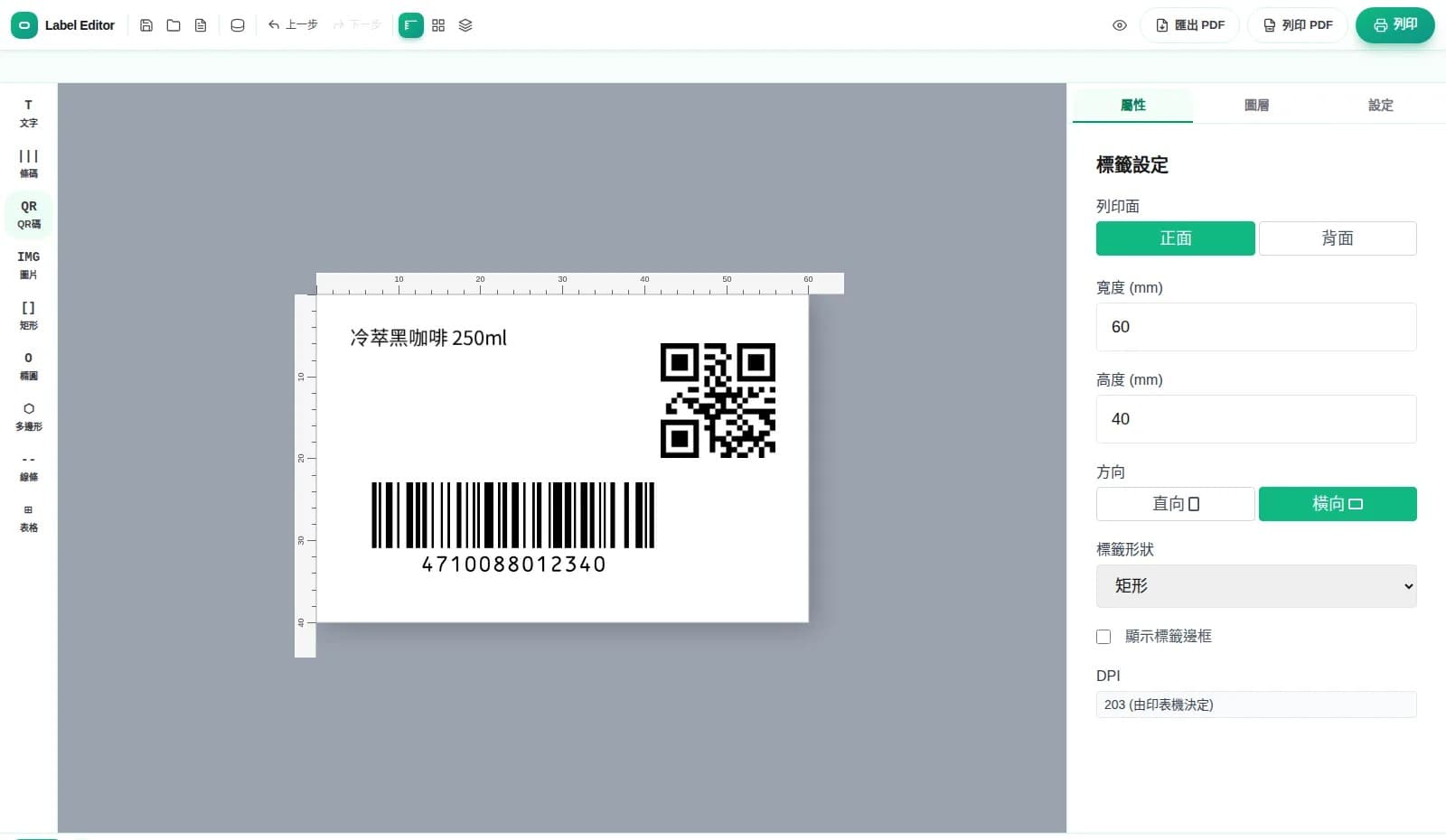
Nine element types go on the canvas: text, barcode, QR code, image, rectangle, ellipse, polygon, line and table. Label dimensions are set in millimetres, with a ruler, grid and snapping; a layers panel handles stacking order, and there is an undo when something goes wrong.
- Chinese Fonts Included
Chinese typefaces such as Noto Sans TC and Noto Serif TC ship with the editor. You do not have to source fonts, and labels do not come out as boxes because the printer has never heard of the typeface.
- Eight Barcode Types Plus GS1
Code 128, EAN-13, EAN-8, Code 39, UPC-A, ITF-14, DataMatrix and QR Code. Change the content and the symbol regenerates immediately — no plug-in, no exporting an image first. GS1 application identifiers are supported, so compliant logistics barcodes are possible.
- Batch Printing From CSV
Import a CSV and bind its columns to the text or barcodes on the label. One design plus one data file prints the whole batch with different content on every label — no editing the same design a hundred times.
- Straight To The Printer, No Driver
With the print agent installed, the editor sends EZPL / ZPL / TSPL straight to the label printer — no printer driver, no converting to an image first. Godex, Zebra and TSC are supported. The agent starts with the machine and updates itself while the printer is idle.
- Or Just Export A PDF
With no label printer, or when you want to test on A4 sticker sheets first, export a PDF or print it through the system printer. Nothing needs to be installed for this path.
- 22 Built-in Templates
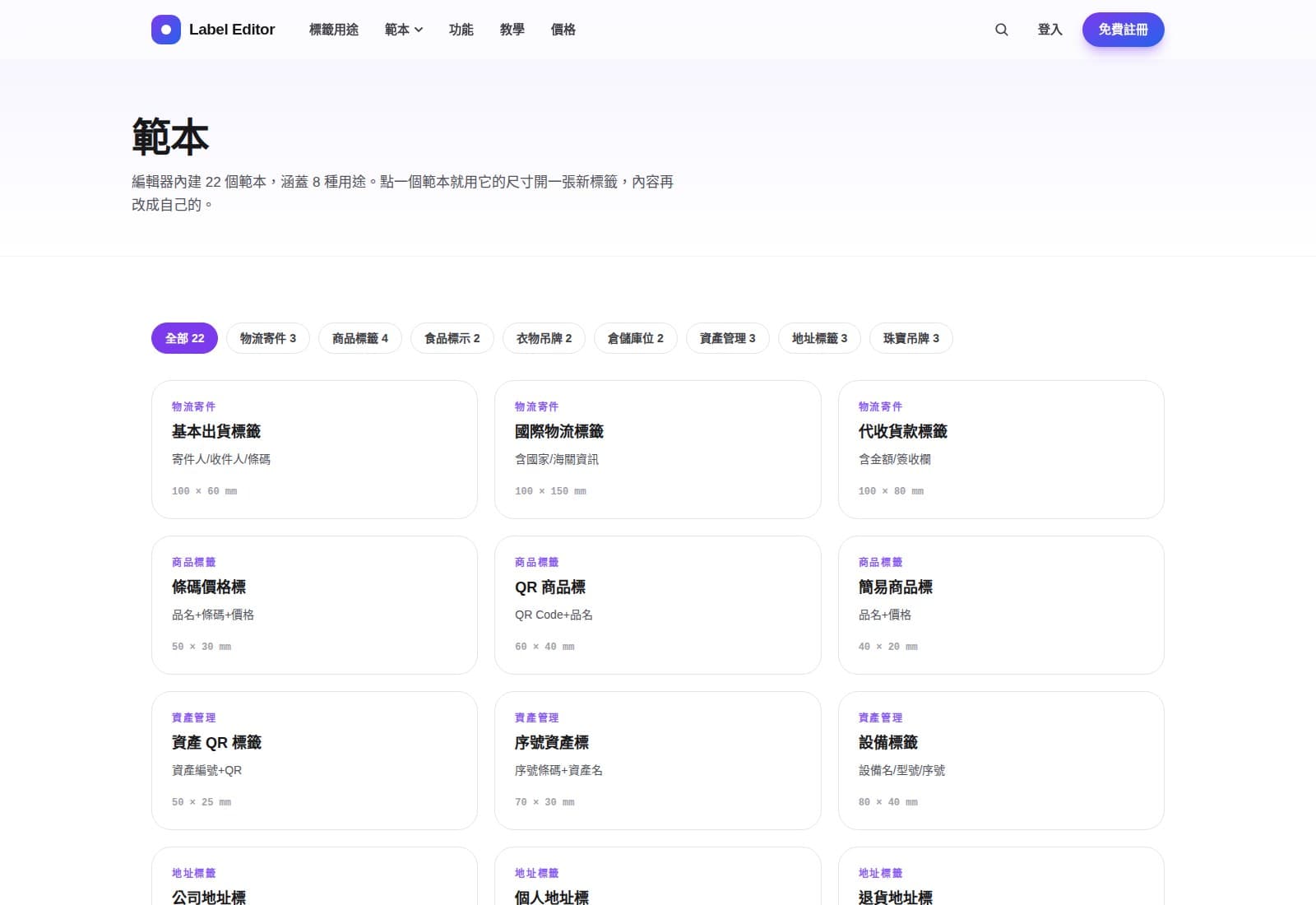
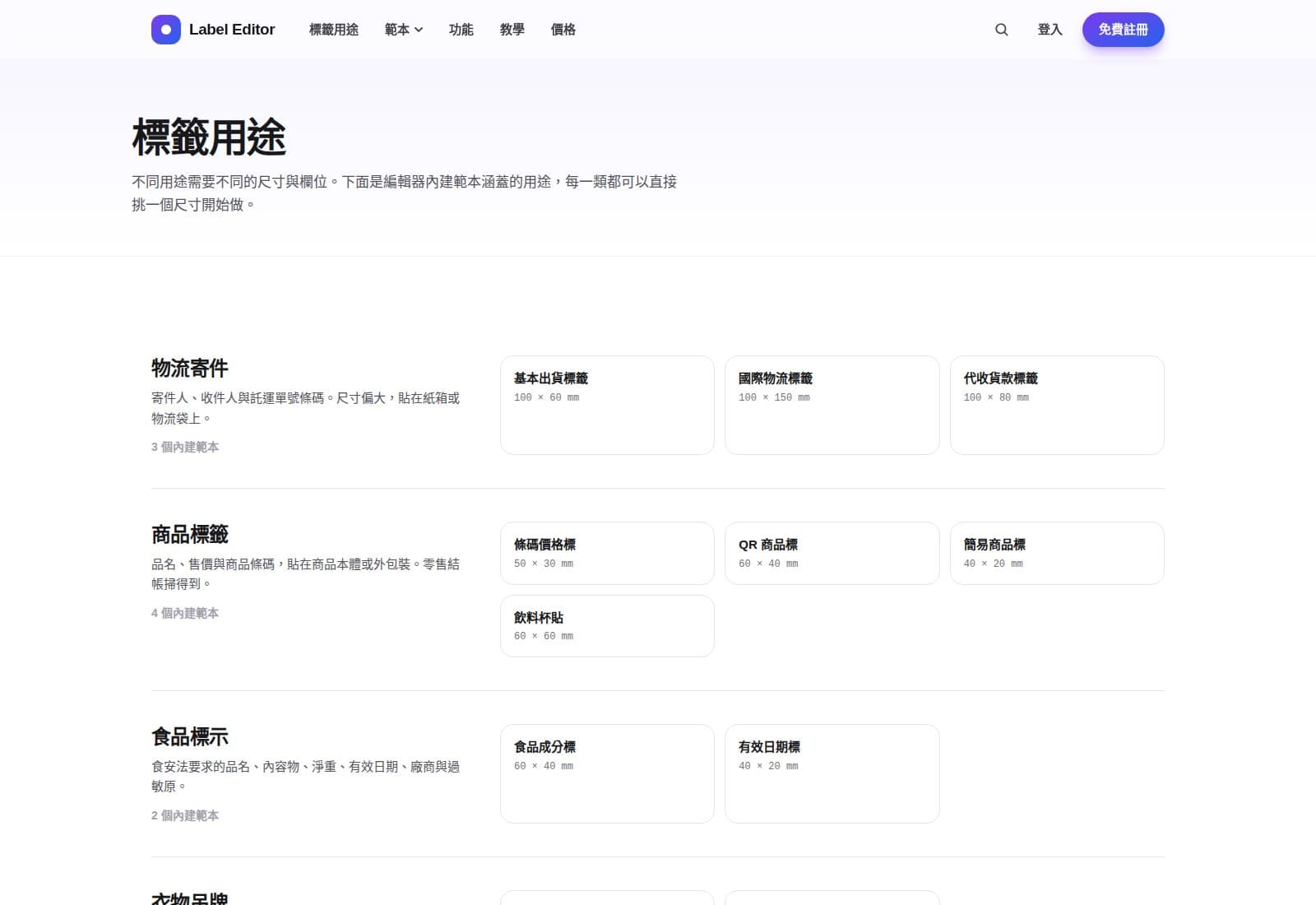
They cover eight use cases — shipping, product labels, food labelling, garment tags, bin locations, asset tags, address labels and jewellery tags — each with its dimensions and fields already in place. Pick one, and it opens a new label at that size for you to edit.
The design side needs only a browser. The one thing that requires a local install is driverless printing, which needs an agent on the machine with the printer.
- Design sideDetailA browser is enough — nothing to installNotesIf you only need a PDF or system printing, this is the whole setup.
- Print agentDetailWindows (x64) primarily; a macOS package is also availableNotesOnly needed for driverless printing. Self-update currently covers the Windows build only.
- Label printerDetailGodex (EZPL), Zebra (ZPL), TSC (TSPL)NotesThe Godex GE300 is the unit we run ourselves. Other models have their command set confirmed first.
- ConnectionDetailUSB or networkNotesThe agent and the printer share a machine or a network segment.
- Data sourceDetailCSVNotesColumn mapping is done in the editor; the file does not have to be pre-formatted.
- DeploymentDetailCloud (label.shengyiltd.com), or self-hosted inside your own networkNotesSelf-hosted keeps the data in-house; the licence is bound to the installed machine.
| Item | Detail | Notes |
|---|---|---|
| Design side | A browser is enough — nothing to install | If you only need a PDF or system printing, this is the whole setup. |
| Print agent | Windows (x64) primarily; a macOS package is also available | Only needed for driverless printing. Self-update currently covers the Windows build only. |
| Label printer | Godex (EZPL), Zebra (ZPL), TSC (TSPL) | The Godex GE300 is the unit we run ourselves. Other models have their command set confirmed first. |
| Connection | USB or network | The agent and the printer share a machine or a network segment. |
| Data source | CSV | Column mapping is done in the editor; the file does not have to be pre-formatted. |
| Deployment | Cloud (label.shengyiltd.com), or self-hosted inside your own network | Self-hosted keeps the data in-house; the licence is bound to the installed machine. |
Prices are in New Taiwan dollars before tax, matching what is published at label.shengyiltd.com. The free plan already designs and prints; you upgrade when you need batch printing from data or driverless printing.
- FreePriceNT$0, no card requiredWhat you getAll 22 templates, eight barcode types plus QR, Chinese fonts, PDF export and printing, three saved designs in the cloud.
- ProPriceNT$390 / month; NT$3,900 / yearWhat you getEverything in Free, plus unlimited saved designs, CSV batch printing, GS1 application identifiers, and driverless printing to Godex / Zebra / TSC through the print agent.
- EnterprisePriceQuoted (by seats and deployment)What you getEverything in Pro, self-hosted on your own network so the data stays in-house, licence bound to the machine, with priority support.
| Plan | Price | What you get |
|---|---|---|
| Free | NT$0, no card required | All 22 templates, eight barcode types plus QR, Chinese fonts, PDF export and printing, three saved designs in the cloud. |
| Pro | NT$390 / month; NT$3,900 / year | Everything in Free, plus unlimited saved designs, CSV batch printing, GS1 application identifiers, and driverless printing to Godex / Zebra / TSC through the print agent. |
| Enterprise | Quoted (by seats and deployment) | Everything in Pro, self-hosted on your own network so the data stays in-house, licence bound to the machine, with priority support. |
- 01Sign up free and make one
The free plan needs no card and includes all 22 templates, all eight barcode types and PDF export. Confirm it suits you before going any further.
This step deliberately involves no salesperson. If it does not suit you, better to find out early.
- 02Pick a template, or set your own size
Choose a template by use case, with the fields and dimensions already laid out — or start a custom label straight in millimetres.
- 03Connect a CSV for batch printing
Import a CSV and bind its columns to the label’s text and barcodes, so one design prints the whole batch. This is a Pro feature.
- 04Install the print agent
Install the print agent on the machine with the printer; from then on printing needs no driver and no file conversion. The agent starts with the machine and updates itself while the printer is idle.
Skip this step if a PDF is all you need.
- 05(Enterprise) install it on your own network
The whole stack goes inside your network: the data never leaves, and the licence is bound to the installed machine. Quoted once seats and deployment are settled.
- How is this different from BarTender or GoLabel?
- The difference is the barrier to entry. Those products are complete, but they cost a lot outright, usually run on Windows only, and are involved enough that someone has to install them. Label Editor is a browser away, ships with Chinese fonts and barcodes, and the free plan already designs and prints. You upgrade when you need CSV batch printing or driverless printing. Conversely, if you already run a whole library of BarTender templates and processes, the cost of migrating is real and should be counted.
- Do we need a printer driver?
- No. The print agent sends EZPL / ZPL / TSPL straight to the printer, bypassing the operating system’s print driver, and without converting the label to an image first. If you only want a PDF, or to print onto A4 sticker sheets on an ordinary printer, you do not even need the agent.
- Which label printers are supported?
- Three command sets: Godex (EZPL), Zebra (ZPL) and TSC (TSPL). The Godex GE300 is the machine we run ourselves, so that path is the most certain. For other models we confirm the command set first and only then say it is supported — we do not promise and then go and try.
- Will Chinese come out as boxes?
- No. Chinese typefaces ship with the editor, and the label is rasterised on our side before being sent to the printer, so it does not depend on which fonts the printer happens to have. This was handled specifically for Chinese labels — label-printer firmware rarely carries a complete Chinese font.
- Can we keep the data off your cloud?
- Yes — that is the enterprise option: the whole stack installed inside your own network, with designs, templates and data staying in-house and the licence bound to the machine it is installed on. Priced by seats and deployment.
- How is it priced?
- Three plans. Free: NT$0 with no card — 22 templates, eight barcode types plus QR, Chinese fonts, PDF export and printing, three saved designs. Pro: NT$390 a month, or NT$3,900 a year (two months off), adding unlimited saved designs, CSV batch printing, GS1 application identifiers and driverless printing. Enterprise: self-hosted on your network with the data in-house and priority support, quoted by seats and deployment. Prices are in New Taiwan dollars, before tax.
- Company
- SHENGYI CO., LTD. 陞釔有限公司
- Tax ID
- 62222816
- Address
- 7F., No. 3, Ln. 70, Anmin St., Xindian Dist., New Taipei City, Taiwan
- Phone
- 02-8666-3131
- contact@shengyiltd.com
- Service hours
- Monday to Friday, 09:00–18:00
https://shengyiltd.com